Excel Pivot Table & Combo Chart Guide for Temperature Data Analysis
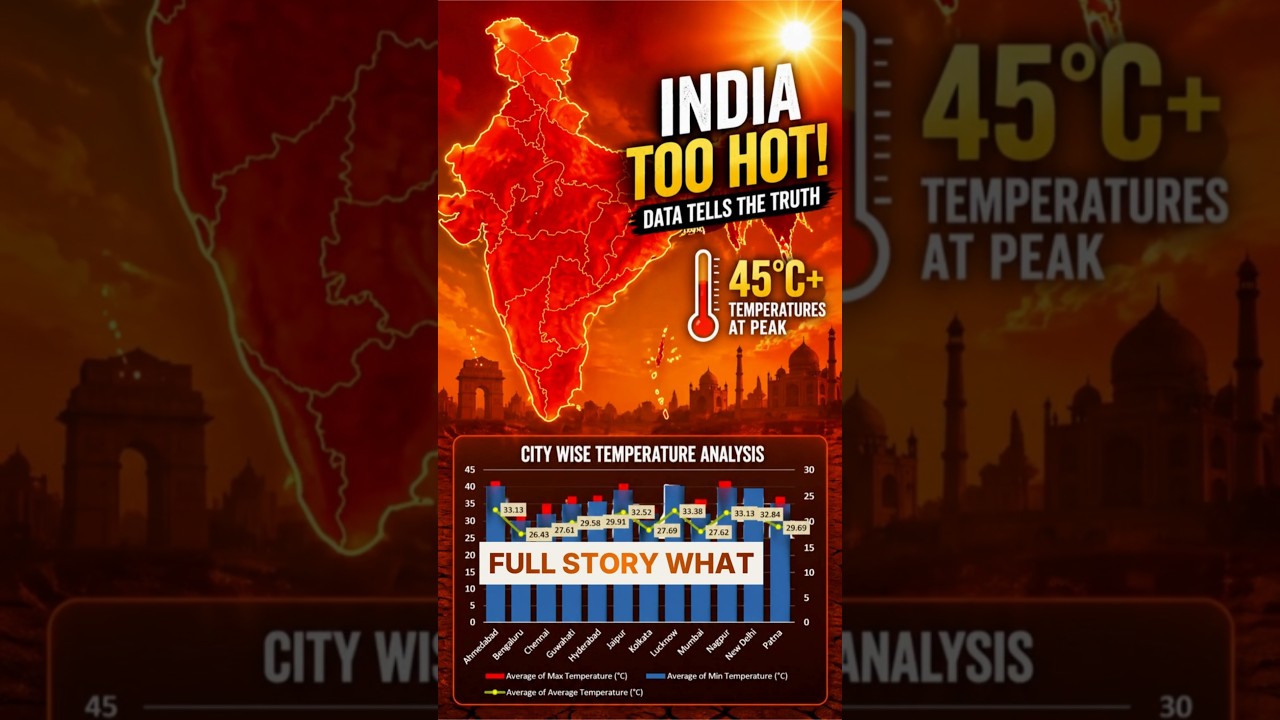
Why Excel Visualization Matters
Raw temperature data from multiple cities can be overwhelming. Using Excel Pivot Tables and Combo Charts allows analysts to uncover hidden trends, compare cities, and identify spikes effectively.
Step-by-Step Guide
1. Create Pivot Table
Insert → Pivot Table → Add City (Rows) and Date (Sub-level for drill-down).
2. Add Metrics
Include Minimum, Maximum, and Average values.
3. Insert Combo Chart
Use columns for Min/Max and line chart for Average.
4. Enhance Visualization
Add data labels, adjust legend, and apply secondary axis.
5. Final Formatting
Set decimal precision and apply styling for clarity.
Key Benefits
- Instant trend visualization
- City comparison insights
- Better decision-making
This technique is part of Excel for Data Analysts: Everything You Need to Know (Handbook).
Join Discover Talent Community
Learn Excel, analytics, and career growth strategies.
Reddit
JustDial
YouTube
Website
Discord
LinkedIn Group
LinkedIn Page
Quora
Instagram
Threads
Pinterest
Udemy
GitHub
Google Review
Podcast
Source: Video transcript (YouTube Short)